Custom CV section titles for every candidate

"Experience" works as a CV heading. So do "Career history", "Relevant experience", and "Werkervaring". The right choice depends on the agency, the client, and sometimes the candidate.
Until now, Tlntly picked the headings for you. You can now rename every standard CV section and the motivation letter.
Set your default headings once
Open PDF Settings and expand Section titles. You can set separate English and Dutch defaults for:
- About
- Skills
- Experience
- Education
- Certifications
- Courses
- Interests
- Motivation letter
These defaults apply to every CV without its own override. The resume language decides whether Tlntly uses the English or Dutch version.
We also changed the standard heading from "Experiences" to "Experience" and from "Ervaringen" to "Ervaring".
Add the candidate to a heading
Section titles can include candidate details. For example, About {firstName} becomes a heading with the candidate's first name. Profile: {role} uses their current role.
The supported placeholders are {name}, {firstName}, {lastName}, {fullName}, and {role}. {name} uses the first name.
This is useful when your agency template calls for headings such as "About Robin" or "Robin's experience", but you do not want to type the name again for every CV.
Override one CV in the editor
A default does not have to fit every submission. Click any standard section heading in the CV editor to rename it for that resume. The resume-level title takes priority over your PDF Settings default.
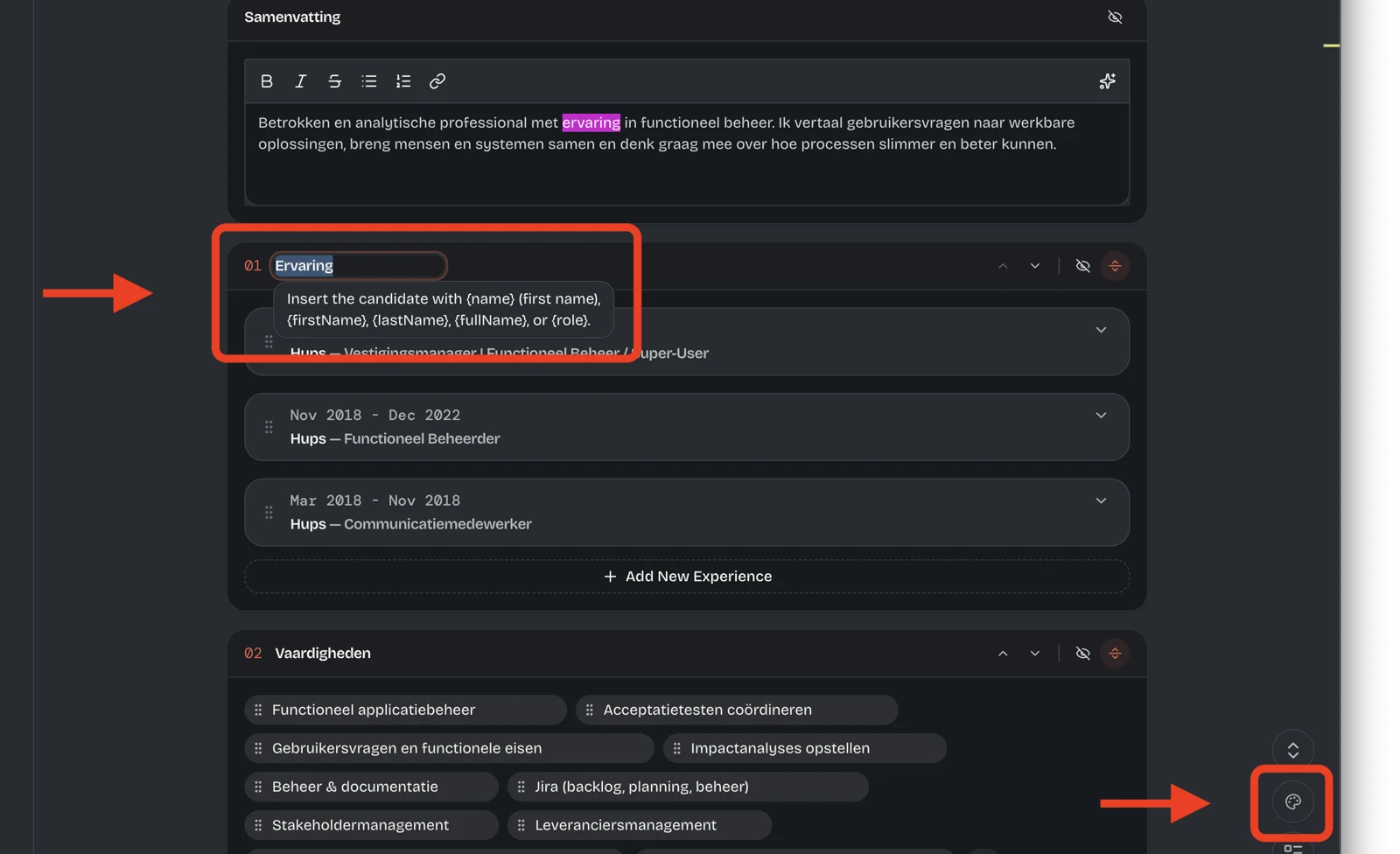
Changed your mind? Reset the heading and it inherits the default again. You can also reset individual defaults or restore all English and Dutch titles at once from PDF Settings.
The editor, live preview, and exported PDF use the same title. This works across the Classic, Dense, and Sidebar templates, including motivation letters.
PDF Settings are easier to scan
PDF Settings had become a long list. We grouped the controls into collapsible sections for templates, titles, section order, layout, typography, branding, cover pages, and exports.
Small labels and secondary text are also larger and easier to read across Tlntly, including the admin dashboard and analytics charts.
These updates are live.
Related reading:
On this page